
Order Method
[alg_wc_empty_cart_button]
You can place your order by several means. Online through this web site, by text, by phone or by email. We are conversant in all these means of communication!
If you place your order by email or text it is important to specify the size format that you want. Ex. “2 30 gram clamshells basil” not ” 2 basil” . In this example of basil we have available 30 gm bags and clamshell, 75 gm, 140 gm, 225 gm and 1 lb bags.
If you place your order online through this web site you will have available to you your pricing (once you login) stock of items and all formats available. It will make your job much easier and clearer and helps us out as well.
Social Login
You can use one of your current accounts at Gmail, Facebook or Twitter in order to authenticate your login.
On the Login page you will see buttons for those accounts. There are two cases, one in which already have an account and the other you are a new customer creating an account.
1/ Have a current account. When you press the button Gmail or Facebook it will look through our accounts to find an account with the same email. If such an account exists it will associate that social media account with the Burt’s Greenhouses account to allow seamless logins going forward (Twitter will prompt you for an email account and then use that email account to search our accounts).
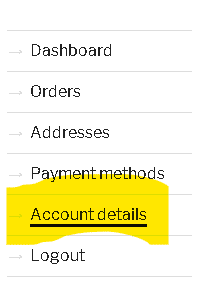
If you are using a different email account with Gmail or Facebook then you are using with your Burt’s Greenhouses account then you need to login with your normal email (or username) and password then go to account details. There you will see the buttons for Gmail, Facebook and Twitter and you can use one of them to associate that account with your Burt’s Greenhouses account to make logging in simple in the future.
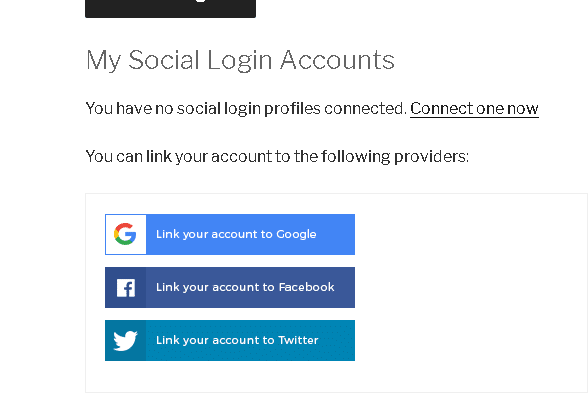
2/ You do not have an account. When you press any of the buttons and follow the prompts your new account will be created and it will be associated with your social media account.
Login
Credentials must be entered in preciseley. If the username or password are incorrect they will be rejected.
A common problem for people with multiple email accounts is to forget which email account they used to register an account with. That creates two problems 1/ Trying to login with the wrong email account will not work. 2/ When requesting a password reset they have to enter in the email account associated with the account correctly or the system will still not know it is them in order to send them the password reset.
If you have problems logging in and are constantly being told the account does not exist when you know it does then please contact us to check your username, email and reset your password.
All modern browsers are capable of saving passwords for web sites and we would encourage you to take advantage of that feature.
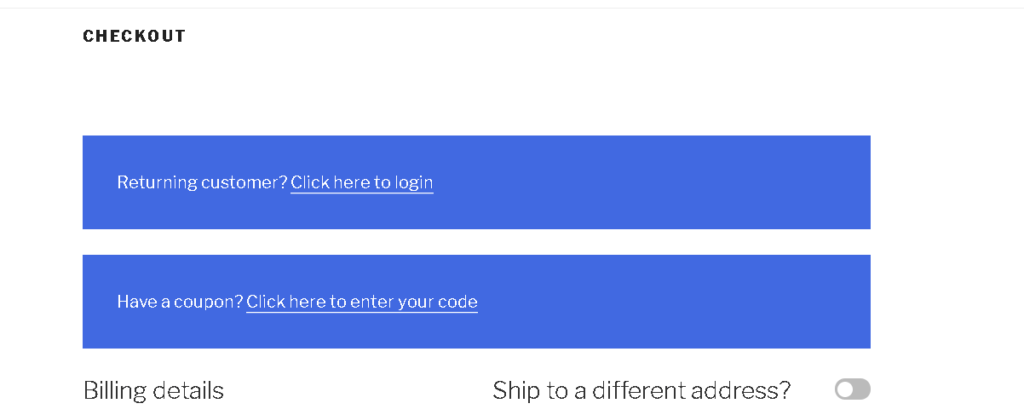
When you go to the checkout page and are not logged in you will see a prompt at the top of the page asking if you are a returning customer. Click on that prompt to expand the login area and login.
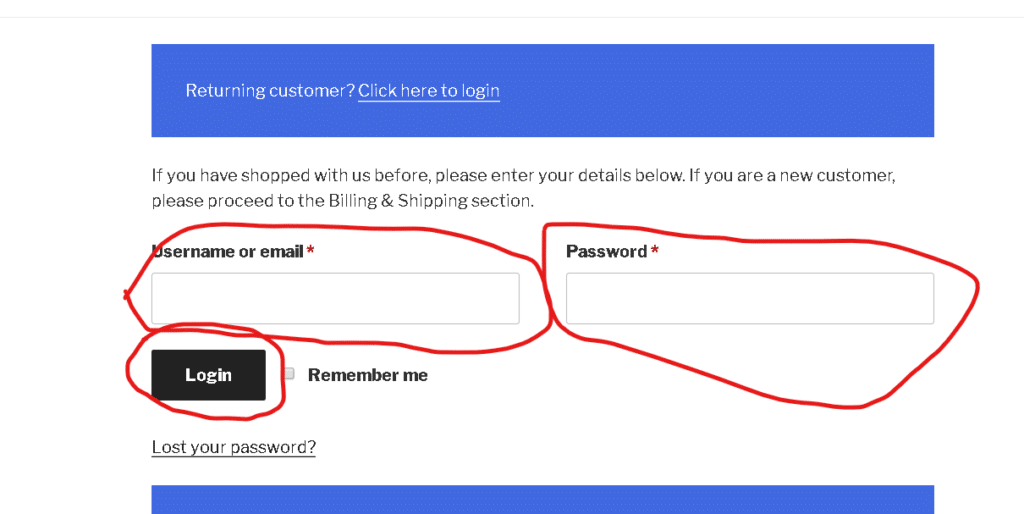
In the expanded area you must fill in your proper username or email address, your password and you must click the login button.
If you wish to use Two Factor Authentication to then make sure you are logged into your account an then click on this link.
Order Timing
We deliver to Kingston on Wed. afternoons. In order to get our orders prepared we need to get them in a timely manner to allow us to harvest. We set our availability on Saturday and will send out a reminder email Sunday evening. It makes it easy for us to get our orders picked if we have them by Monday morning.
Ottawa deliveries are on Thur. Since we start selling out of certain products on Monday it is best to get your order in as early as possible but no later than Tues. evening.
Standing Order
If you know that you are going to want the same or similar items every week then we are happy to set up a standing order for you. In that case we will enter your order into our system before other orders are placed thus ensuring you get first tabs on our stock. We will then send out a confirmation to you allowing you time to make changes to your order if you wish to. If you are busy this is a good way of making sure you get to the front of the queue!
Stock
We update our stock listing on Saturdays at the same time that we send out our availability list . We start receiving orders almost immediately. In order to make sure that you have the greatest selection available to you it is best to get your order in as early as possible.
Wholesale Accounts
If you are a wholesale customer operating a restaurant, caterering or retail business please send an email to veggie@burtsgh.com . We can then subscribe you to our availability list and set up an account for you that will allow you to login and see our wholesale availability and pricing. Please ask any other questions you may have about wholesale accounts and we will be happy to answer.
Storage
It is very important to store our vegetables at the proper temperature in order to keep them at peek freshness and presentability for as long as possible. We try to get our vegetables into the proper temperature cold storage as soon as possible after harvesting. We also transport our vegetables in a refrigerated truck. Please try to get your delivery into the proper temperature storage as quickly as you can after receipt. UCDAVIS is an excellent resource for information on optimal storage of fruits and vegetables.
Packaging
Packaging is used to allow the best balance of presentation, minimal materials and ease of handling. It you have particular packaging or size format requirements please let us know and we will do our best to accommodate those needs. In order to allow easiest handling of some of our product we use box liners for our delivery boxes allowing fast and easy transfer from the boxes to your cooler. If you return these liners to us we can reuse them.
Trouble-shooting order problems
Any feedback that you can give to us re: problems you may have when ordering is helpful. Details are very helpful!
One of the easiest means to give quite a bit of information is through a screen capture when you have problems. There are many ways to do that but here is one that works well;
When you have a problem then hold down the <alt> key and press the <prt sc> or print screen key. Go to this web site; https://snag.gy/ hold down the <ctrl> and press the <V>. This will copy your screen capture to that web site. and open up a new page that will display a link with a copy button.
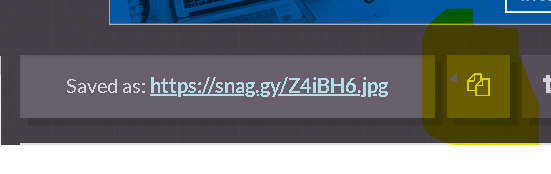
Click on the copy button to copy the url.
Now create an email for us and paste that url into the email.
If you use a Mac computer then the copy command is <Shift >+ <Ctrl> + <Cmd> + <3>
Clear Cookies